Use your normal music source
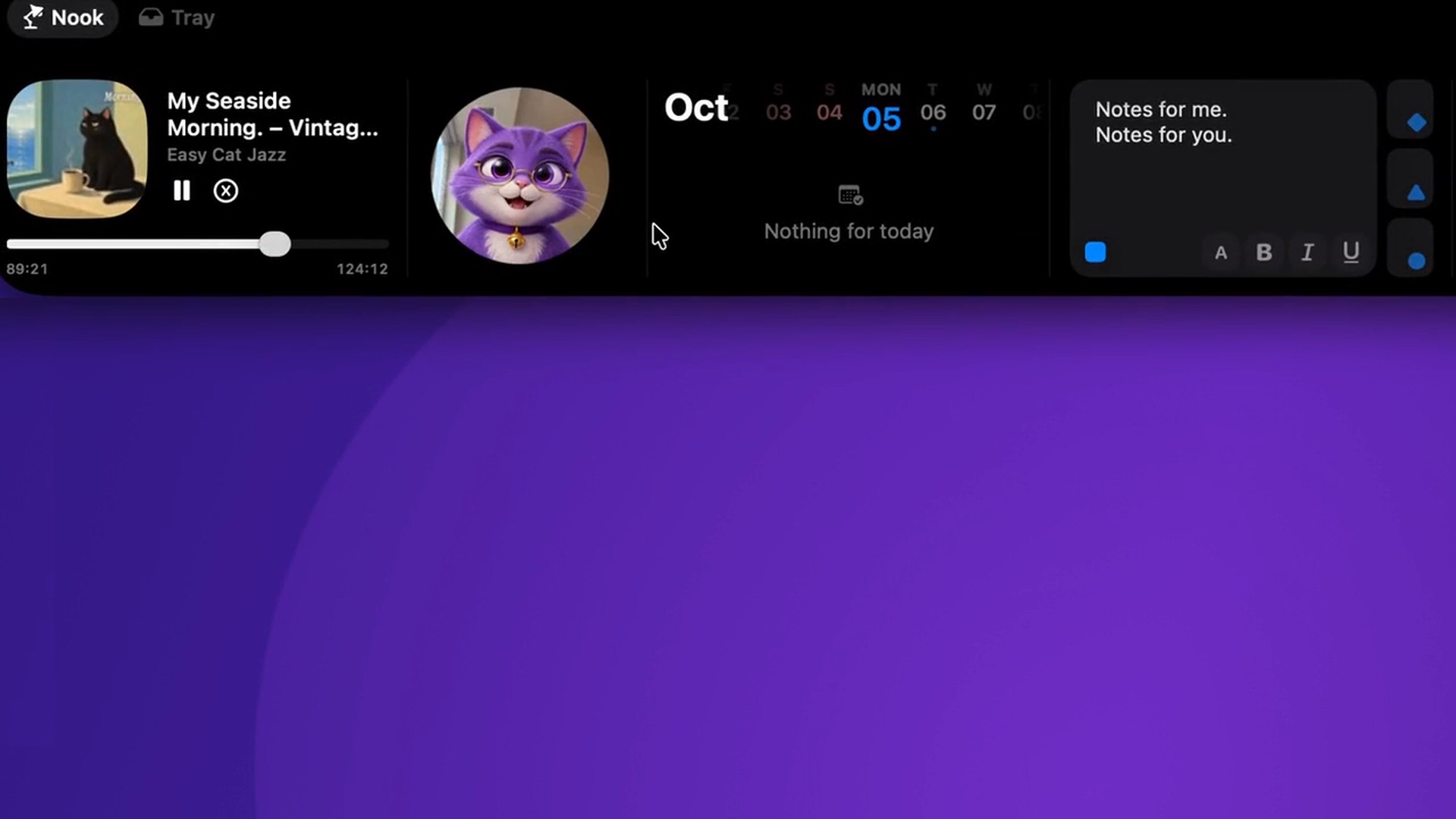
Start playback in Spotify, Apple Music or another application exposed by macOS as Now Playing. Open the Nook and check the current track information and playback controls.
If more than one app is playing, choose which media source the Nook follows. This is useful when a browser video and a music app are both active and you want the controls to stay attached to the one you are listening to.
Keep the interaction short
Try this during a task that normally keeps you in one window, such as writing a document or editing an image. Pause the track, resume playback or move within it from the Nook, then return to the same task.
The useful measure is how quickly the music action is finished. You do not need to redesign your whole desktop around a media panel; give it the single job of keeping playback close.
Pair music with one other tool
During a focused work session, keep a short note or timer in the same Nook. Your writing window remains the main workspace, while music and a small reminder are nearby.
If track information does not match what you expect, first check which source is selected and whether playback is active in that application. The official music guide goes into the media panel in more detail.
Try a track while you work
Start a track in your usual player, then return to a document you are working on. Open the Nook without moving that document to another screen.
In the recording below, the progress bar moves within the current track. Try that with a track in your own player, then pause and resume playback. The player should follow each action.
- Start playback in Spotify, Apple Music or another app shown in macOS Now Playing.
- Open the Nook and check the track title before using a control.
- If a browser video is also playing, use the media source picker to choose which app the Nook follows.
- Return to your document and repeat the small playback action when you need it.
When the track does not match
First check that playback is active in the source app. If two sources are available, select the one you intend to control rather than repeatedly pressing play in the wrong source.
Compare the title in the player with the title in the Nook. If the mismatch persists, include the player name, macOS version and NotchNook version in your support report.